Once you are at the Home section of the platform and want to create a new survey, click on the blue New survey button in the top right corner of the dashboard or choose the option Create survey from the list on the left.
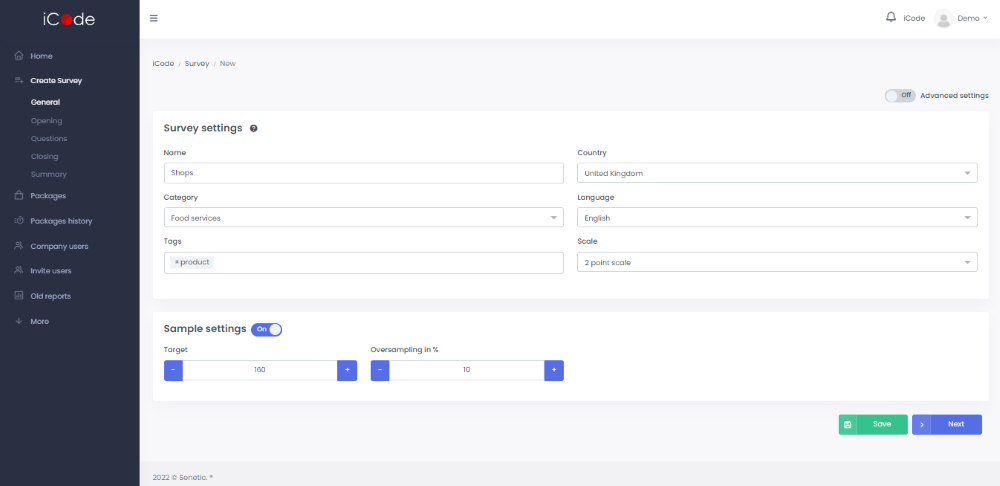
The process will start from the General section, where you should name your test, select the right category for your study, define tags that reflect the subject of your study to easily track your surveys, select the country of the study and a language corresponding with your target group and select the scale to decide if respondents should decide two or three answers.
Next you should specify the Survey settings and define the target and oversampling for your survey in Sample settings.
Additionally, at this stape you have an option to turn on Advanced settings to be able to type in the Scale labels.