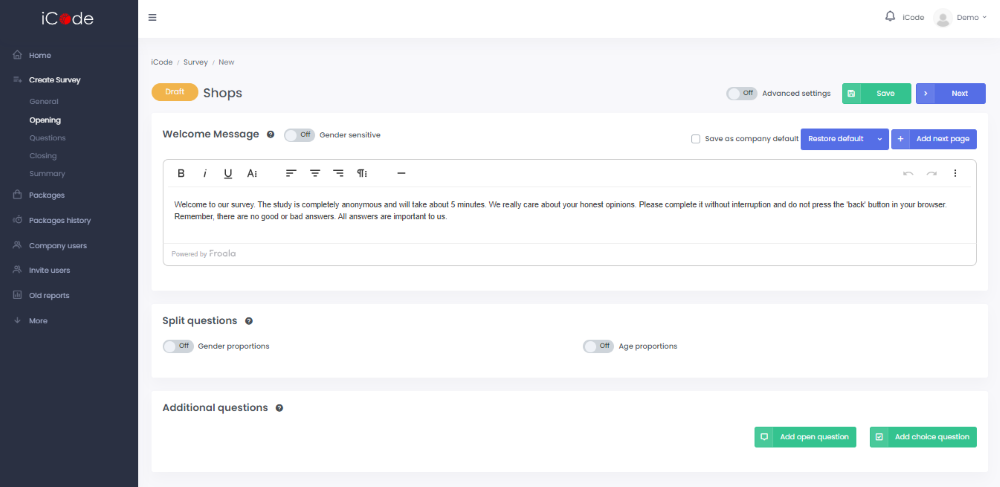
Next you are going to be moved to the Opening part, where you can specify the Welcome message that is going to be presented to respondents before the beginning of a calibration part.
In the Split questions section you can decide about the gender and age structure of a respondent group. It is possible to regulate gender proportions, stating in percentages how many respondents of each sex should take part in your study and age proportions, stating in percentages how many respondents of each age group should take part in your study.
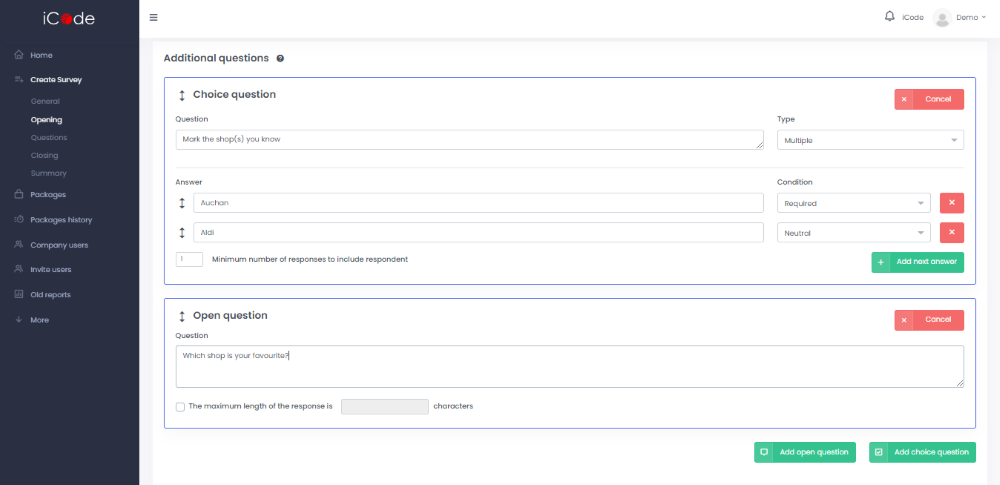
In this section you can also add Additional questions that respondents are going to answer before the actual survey. They may be choice or open questions.
While creating choice questions you need to choose their types (Multiple/ Single/ Dropdown). What is more, by specifying the condition of an answer (Neutral/ Finish survey/ Required) you have a possibility to exclude from the sample respondents who chose specific answer options.
In case of open questions you may establish a limit of characters that respondents can enter.
If at this stage you turn on the Advanced settings button, the option of ID verification is going to become available for you. You can upload the list of respondents’ IDs to the platform. In consequence the survey will be accessible only if the respondent will enter a proper ID. Each ID can be used only once.